
Protect your sources & confidentiality
 Drilon Buzuku
Keeping information confidential can pose a real challenge with today’s level of digital surveillance. Automation tools and AI Agents don’t make this task easier. Handling confidential information with care, has a ethical component that comes with it. Protecting sources is crucial to an ongoing investigation. Leaked data could pressure witnesses and put sources in dangerous positions.
This guide focuses on how to reduce risks when handling sensitive information, protect the identities of confidential sources, and prevent the unintended disclosure of personal data throughout the investigative process.
Table of contents
This guide walks through the risks of handling sensitive information during an investigation and how to reduce them. Using a fictional investigation, we’ll cover:
- Understanding personally identifiable information (PII)
- Understanding OSINT risks in images, PDFs, and metadata
- Introduction to the fictional investigation
- Examining a sample interview transcript
- Redacting sensitive information with Ardi Redact
- Reviewing WebVTT subtitle files for sensitive information
- Removing image metadata with Ardi Metadata Remover
What data could expose a source? Introduction to PII
PII stands for Personally Identifiable Information and is divided into two categories. Direct PII and indirect PII. Direct PII refers to information that can identify a person on its own, such as a full name, passport number, or identification number.
Indirect PII refers to information that can identify a person when combined with other data, such as date of birth, gender, ZIP code, or location.
Understanding OSINT risks in images, PDFs, and metadata
Images, PDFs, Documents and other files contain traces of information that could expose critical information of individuals, investigative methods or sensitive case information. Modern smartphones often embed GPS coordinates of where a photo was taken, or the name of the phones user. PDFs can contain authors, digital signatures and hidden content of poorly redacted files.
Metadata can contain:
- Personal Information
- Location Information
- Timestamps
- Device Information
- Software Information
- Organizational Information
- Document Properties
- File Paths
- Revision Information
- Reviewer Information
- Investigation-Related Information
- Embedded Metadata
- and more
Introduction to the fictional investigation
To illustrate how a political smear campaign might unfold, this article draws on the fictional account of John Doe. A former employee of a communications contractor who claims to have been involved in an operation to discredit a Vienna city council candidate. In his account, Doe describes the use of fabricated message screenshots, forged receipts, and an AI-generated video designed to impersonate the candidate.
The interview itself is entirely fictional. All individuals, campaigns, documents, and events have been invented for illustrative purposes. Only the Vienna landmarks referenced are real.
Examining a sample interview transcript
Download the fictional WebVTT example.
Redacting sensitive information with Ardi Redact
Plenty of redaction tools exist. Depending on how sensitive the data is, it should be redacted either with a tool directly processing on your computer or through a service you can trust. The first option is always the better one, if possible.
For this showcase, the Ardi Redact Tool meets the local processing for redaction requirements. To start, download and install Ardi Redact on your computer. Open Ardi Redact and choose the transcript file you downloaded from Ardi. Select the language used in the transcript and click Redact document.
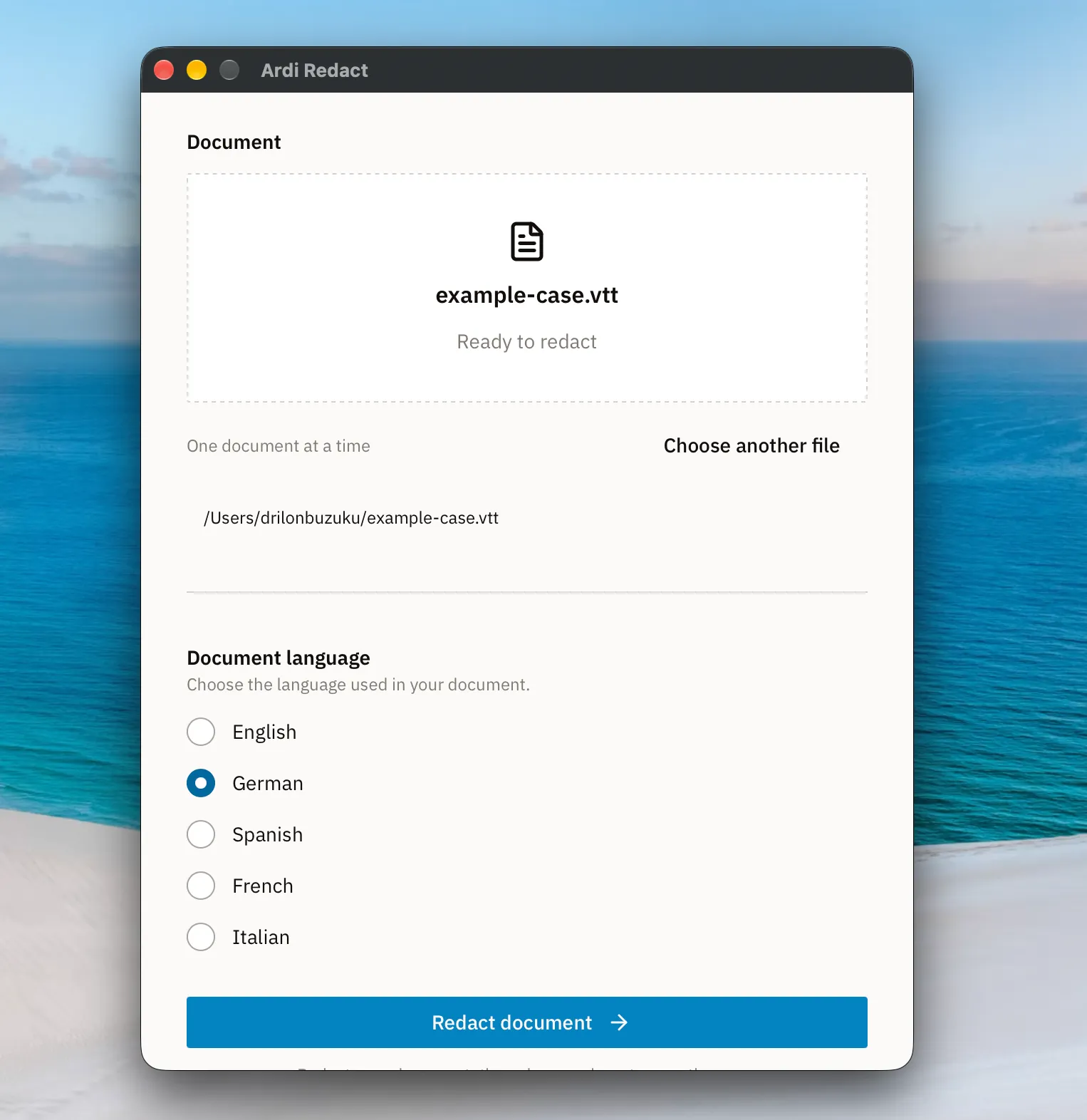
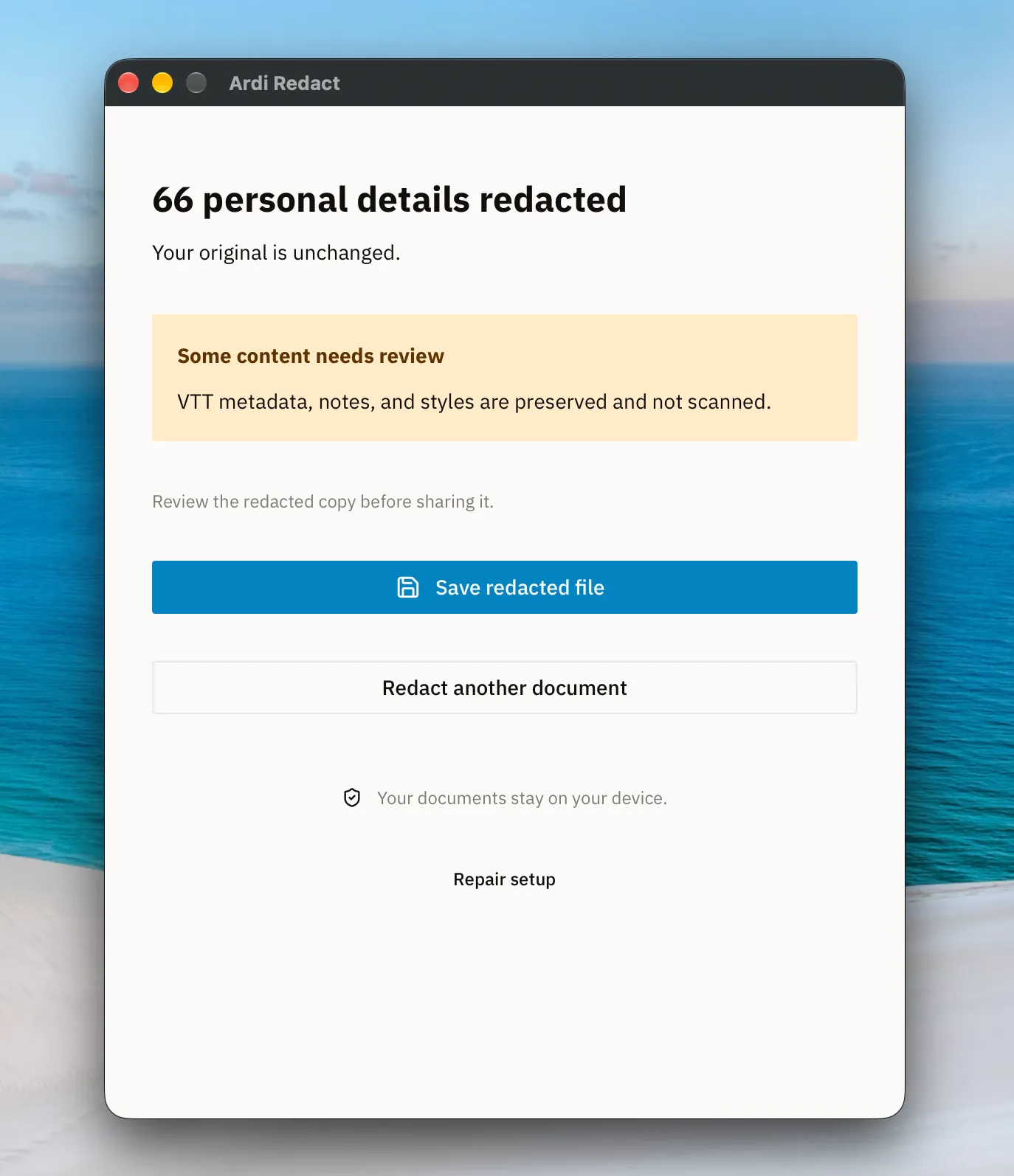
Ardi Redact creates a separate redacted copy and leaves the original file unchanged. WebVTT notes, metadata, and styles are preserved but are not. They need to be removed manually. When the redacted copy is ready, select Save redacted file.
Reviewing WebVTT subtitle files for sensitive information
This is the transcript after redaction. Detected personal details have been replaced with labels such as [PERSON_1] and [LOCATION_1]. Nonetheless some identifying details may always remain. Reviewing the redacted file is essential.
The redacted document is almost finished, but upon further inspection some sensitive information was still readable. Check whether you can spot the potential risks and correct them.
Removing image metadata with Ardi Metadata Remover
As described earlier, images and PDFs can contain information that is not visible when opening them. This information is called metadata. It can include where a photo was taken, which device created it, or who authored a document. Metadata can expose sensitive details about a source or an investigation.
To remove metadata, open Ardi Metadata Remover and select a JPEG, PNG, WebP, or PDF file up to 25 MB. The cleaning process takes place directly in the browser, and the file is not sent to our servers. Once completed, download the cleaned file.
Alternatively, FFmpeg can be used to remove metadata from images, while ExifTool can remove PDF metadata. Additional steps may be required to ensure it is fully erased. AI frontier models such as Gemini, ChatGPT, Mistral, or Claude can also generate scripts to remove metadata and are safe to use.