
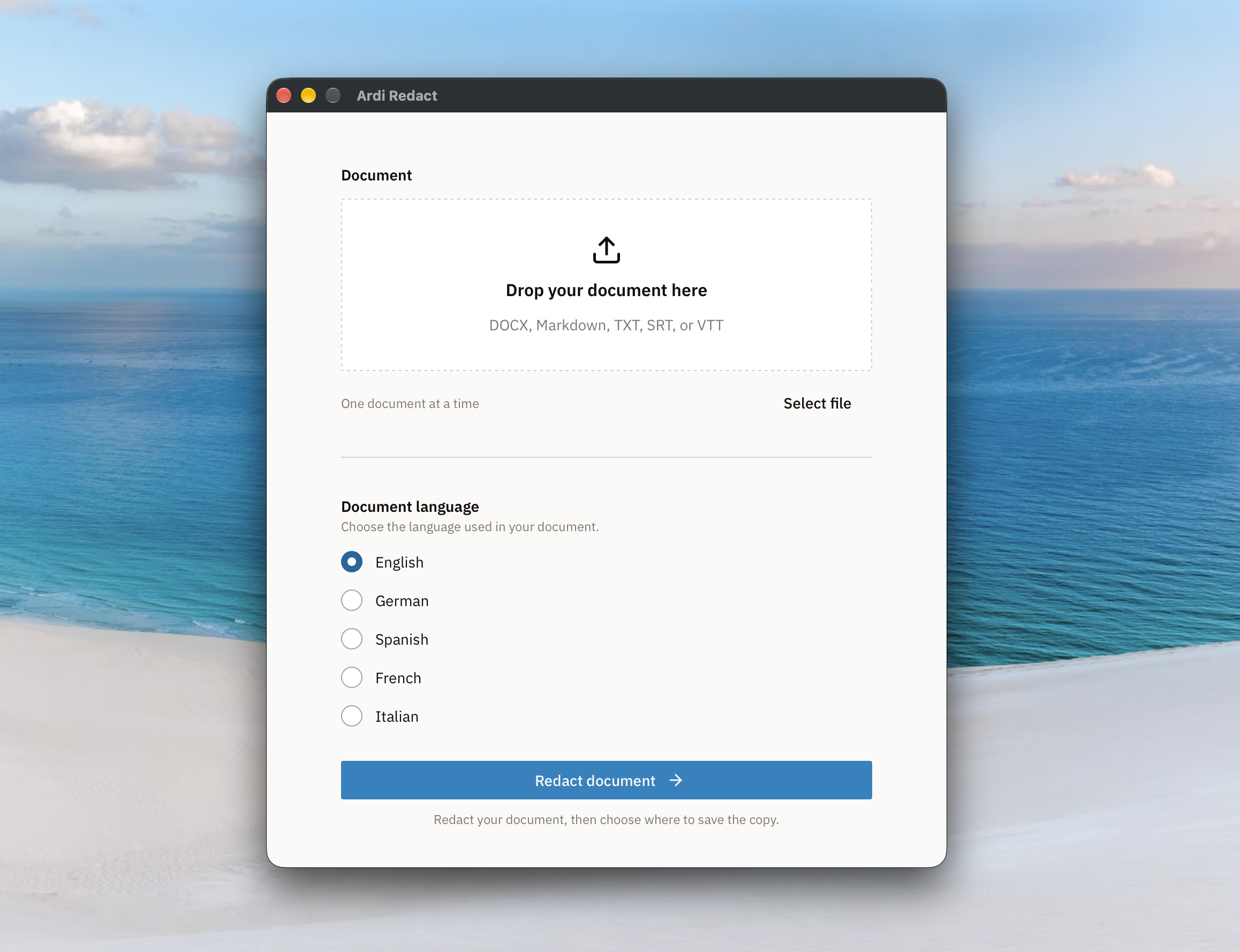
A free and open source
tool to redact
File formats supported
You can redact WebVTT (.vtt), subtitle (.srt), plain text (.txt), markdown (.md), and Word (.docx) files.
Runs on your computer
All redaction happens locally on your computer. Your files and their contents are never sent to a server.
Free and open source
You can explore and check the code. Open for anyone to look on GitHub.
Why is redacting files important?
Safer usage of LLMs & AI tools
Way too often unredacted files & documents are uploaded to LLMs or other AI tools. This puts sensitive data at risk and potentially violates GDPR regulations.
Protect your sources
Leaked information puts your sources and investigation at risk. There have been documented cases of AI tools leaking information to unauthorized parties.
Protecting victims & vulnerable individuals
Anonymizing information can be essential when sharing documents with other individuals or involved parties.
What Ardi redacts
People’s names
Redacts people’s first and last name.
Locations
Redacts cities, countries, and named places.
Email addresses
Redacts email addresses.
Phone numbers
Redacts phone numbers.
GPS coordinates
Redacts GPS coordinates in decimal format.
Dates
Redacts dates recognized by the language model.
What isn’t detected
Company names aren’t redacted in the current app. There are no dedicated detectors for passwords, credit cards, IBANs, or government ID numbers. File metadata is also not removed.
We recommend removing metadata from your files before sharing them. You can use our metadata remover.
Always have a human review the output. Ardi Redact can make mistakes and miss sensitive information. There is no guarantee that it will work as intended or produce the results you expect.
Download Ardi Redact
Download and unzip the app using the button below, then move it to the Applications folder on your Mac.
The tool is in development and meant as a simple helpful tool.
Download for macOSIf macOS blocks the first launch
Ardi Redact is not yet verified by Apple. If you trust this download, you can allow it to open:
- Open Ardi Redact from Applications once, then dismiss the warning.
- Go to System Settings → Privacy & Security. Scroll to Security and click Open Anyway next to Ardi Redact.
- Authenticate if asked, then click Open to confirm. You only need to do this for the first launch.